TL;DR: Screen printing success depends on darkroom light control, environmental management, and workflow optimization—seven proven hacks eliminate costly mistakes and improve print quality.
Bottom line: Essential for home printers launching custom apparel lines and commercial shops scaling production; less critical for DTG-only operations.
Last updated: 2026-06-11, based on 27 years of apparel manufacturing experience and feedback from 2,000+ fashion brands served by ZORWILD.
Key Takeaways
- Complete UV light elimination in darkrooms prevents premature emulsion exposure—amber safelights rated at 15 watts positioned 4+ feet away are mandatory.
- Temperature control between 65-75°F keeps water-based inks printable; above 100°F causes base layer warping and garment shifting.
- Flash cure timing for hoodies requires only 5-6 seconds versus 10+ seconds for standard tees to prevent registration failures.
- The dot-sticker alignment method delivers ±0.25” accuracy for centered chest prints, eliminating expensive batch reprints.
- Proper darkroom layout with separated exposure, washout, and drying zones cuts screen preparation time by 30%.
1. Master Your Darkroom Light Control
UV and standard fluorescent light trigger chemical reactions in unexposed emulsion, ruining screens before printing begins.
Block all windows with blackout material or plywood sheets. Replace standard fluorescent fixtures with amber or red safelights specifically designed for screen printing emulsion—these wavelengths won’t trigger photosensitive chemicals. Seal door gaps with weatherstripping or foam tape. One shop discovered a 2-inch gap under their door was exposing 15% of their screens prematurely, costing $800 monthly in wasted materials.
Position safelights at least 4 feet from work surfaces. Store coated screens horizontally in complete darkness overnight—drying takes 1-3 hours, but many printers coat at night and expose the next morning for maximum efficiency.
2. Control Temperature and Humidity for Ink Performance
Temperature-controlled ink and ambient humidity determine whether water-based inks flow smoothly or become unusable lumps.
Keep Inks in Climate-Controlled Storage
Store inks in a climate-controlled space—ideally 65-75°F. Chemical inks denature at high temperatures, becoming completely unusable. Water-based inks suffer most; they’ll clog your screens and squeegee within minutes if too warm. According to Permaset’s screen printing guide, maintaining proper ink temperature is critical for consistent print quality across production runs.
Use a Spray Bottle for Water-Based Ink Maintenance
Water-based inks dry quickly in low-humidity environments. Keep a spray bottle filled with water near your press. Every few shirts, lightly mist the flooded screen to rehydrate the ink. Professional printers working in dry climates report this single hack saves 20-30 minutes per 100-shirt run.
Deploy a Humidity Fogger During Dry Seasons
Use reptile foggers or small steamers positioned near the press during dry months. When humidity drops below 40%, water-based inks become nearly impossible to print without constant screen cleaning.
3. Optimize Screen Positioning and Alignment Hacks
Three proven alignment methods eliminate costly mistakes: the dot-sticker trick, the tape-mark system, and the collar-center reference.
| Method | How It Works | Best For | Accuracy |
|---|---|---|---|
| Dot-Sticker Trick | Place circle sticker at shirt collar center; line up design relative to sticker | Centered chest prints | ±0.25” |
| Tape-Mark System | QC team places tape on sleeve to mark left/right orientation | Multi-sleeve jobs | ±0.5” |
| Collar-Center Reference | Eyeball center of collar, measure equal distance down for design placement | Quick single-color prints | ±0.5” |
The dot-sticker method is fastest for centered designs—place a small circle sticker at your estimated collar center, then position your screen so the design sits at the correct distance below it. For sleeve work, the tape-mark system prevents left/right confusion. These low-tech solutions eliminate expensive reprints that cost $200-500 per batch on custom orders.
4. Flatten Your Garment and Press Surface Perfectly
Seams, pockets, and zippers create surface inconsistencies that destroy print quality—flatten everything before pressing.
Smooth Every Garment Before Printing
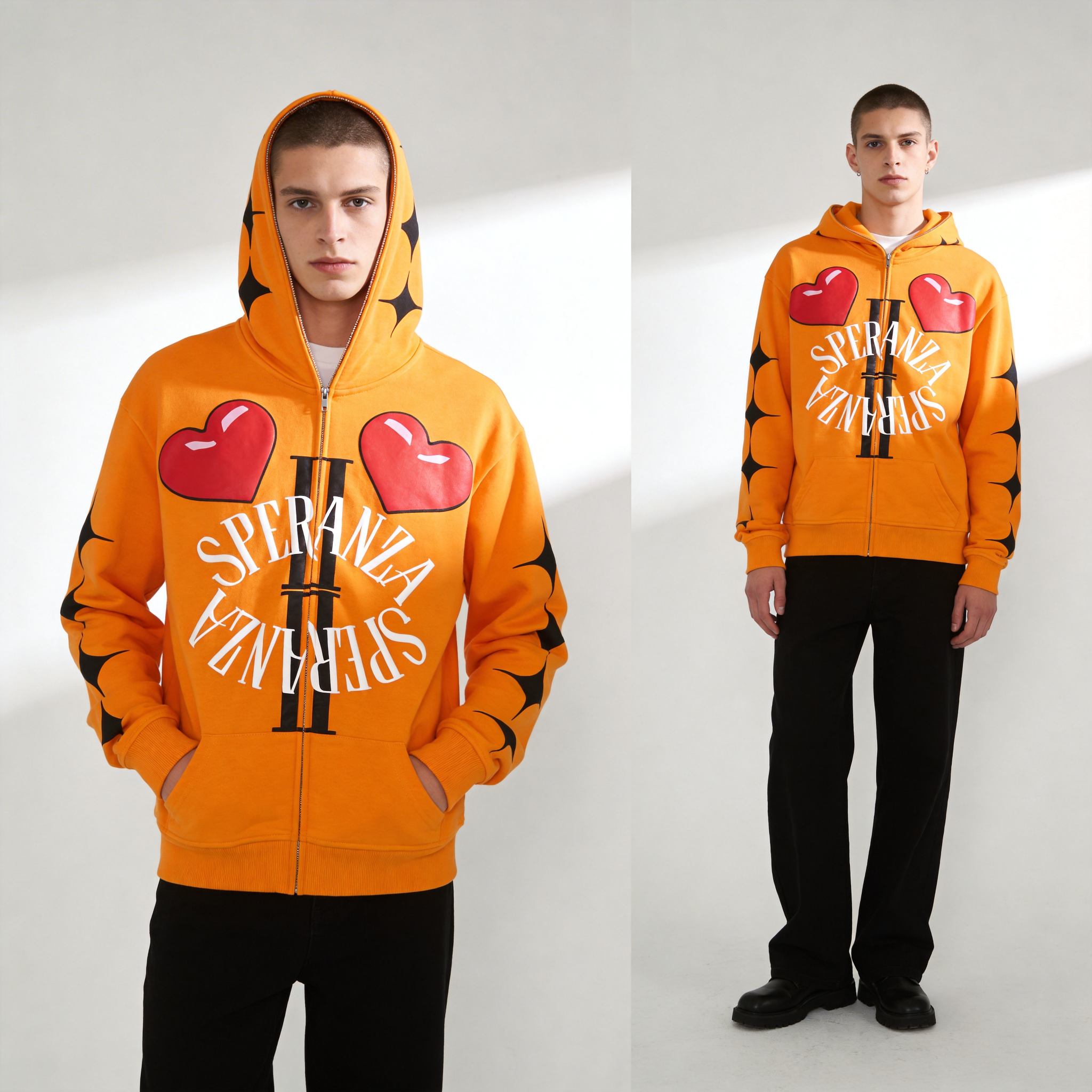
Lay each shirt flat on your pallet and smooth it completely with your hands. Wrinkles, bunches, and folds create gaps between the screen and fabric, causing uneven ink transfer. Spend 10 seconds per shirt smoothing—this single step improves print quality more than most printers realize.
Never Print Over Seams, Pockets, or Zippers
These thick areas sit higher than the flat fabric, breaking contact with your screen. Position designs on smooth chest or back areas only. ThreadBird’s technical documentation confirms that printing over inconsistent surfaces guarantees defects.
Use Proper Pallet Boards and Shirt Inserts
Invest in quality pallet boards that are truly flat and level. Use shirt inserts—cardboard or plastic boards—inside garments to prevent ink bleeding through to the back. Replace cardboard inserts every 50-75 prints to maintain flatness.
5. Control Flash Cure Temperature to Prevent Garment Damage
Excessive flash cure heat warps base layers and shifts garment position—professionals flash for only 5-6 seconds on hoodies.
• 5-6 seconds — Recommended flash duration for hoodies and heavy garments (prevents warping and shifting)
• 2-3 seconds — Standard flash for cotton t-shirts (sets ink without damaging fabric)
• 65-75°F — Ideal pallet temperature range (keeps garments stable between flashes)
• 100°F+ — Danger zone temperature (base layer warp begins, garment shifts on pallet)
Many printers flash garments too long, especially hoodies. Excessive heat warps the base layer and causes the shirt to shift on the pallet, ruining registration on multi-color prints. Keep your platen warm but not hot—65-75°F is ideal. Flash hoodies for only 5-6 seconds compared to standard 10-second flashes on t-shirts. Reddit’s r/SCREENPRINTING community consistently reports that overheating is the number-one cause of registration failures on heavyweight garments.
6. Organize Your Darkroom Layout for Speed and Accuracy
Professional darkroom layout minimizes movement, reduces errors, and cuts screen preparation time by 30%.
Divide your space into three functional zones: exposure (where screens are exposed to UV light), washout (where you rinse out unexposed emulsion), and drying (where screens cure before printing). Position your exposure unit near your emulsion storage. Keep washout areas close to a water source with proper drainage. Drying racks should be positioned away from direct sunlight but in a well-ventilated area.
Store screens vertically in racks or bins, not stacked flat. Label each screen with permanent marker indicating mesh count, emulsion type, and date of last use. Maintain a “reclaim station” where old screens are stripped and prepared for reuse—this reduces costs significantly. Reclaiming screens costs $2-5 in chemicals but saves $15-25 compared to buying new screens. After 10 reclaim cycles, mesh tension weakens and emulsion adhesion decreases, making screens unreliable for precision work.
7. Use Pallet Spray Tack Strategically to Prevent Shifting
Spray tack prevents garment movement during printing—but too much causes permanent staining; professionals use minimal, targeted application.
Apply Spray Tack Sparingly
Use light, even coats only on the pallet surface where the shirt will contact. Avoid spraying areas where the shirt’s edges will hang off the pallet—this prevents staining. One light pass is sufficient for 15-20 shirts.
Reapply Tack Between Runs
Spray tack loses adhesion after 15-20 shirts. Reapply lightly rather than building up thick layers. Fresh tack holds better than crusty, dried residue. This prevents the garment shifting mid-print that ruins registration on multi-color jobs.
Clean Pallets Between Color Changes
Use a plastic scraper to remove buildup every 30-50 shirts. A clean pallet ensures consistent contact between screen and garment across your entire production run.
FAQ
Q1: What type of safelight is best for screen printing darkrooms?
Amber or red safelights rated specifically for photographic emulsion work best. Look for safelights with 15-watt bulbs positioned at least 4 feet from your work surface. Test your darkroom by leaving unexposed screens under the safelight for 30 minutes—they should show no exposure afterward.
Q2: How often should I reclaim and reuse screens?
Professional shops reclaim screens 5-10 times before mesh degradation becomes noticeable. Each reclaim cycle costs $2-5 in chemicals but saves $15-25 compared to buying new screens. After 10 reclaims, mesh tension weakens and emulsion adhesion decreases.
Q3: Can I use a garage for screen printing without a dedicated darkroom?
Yes, but you must create a light-tight space within the garage. Use blackout curtains, weatherstripping, and amber safelights. Many hobbyists build darkroom boxes or use closets successfully. Avoid printing in direct sunlight; UV exposure ruins wet emulsion instantly.
Q4: What humidity level is ideal for screen printing?
45-65% relative humidity is optimal. Below 40%, water-based inks dry too quickly on screens. Above 70%, emulsion takes too long to dry after coating. Use a hygrometer to monitor your shop’s humidity.
Q5: Why do my prints have uneven ink coverage on some shirts?
Uneven pallet surface, wrinkled garments, or inconsistent squeegee pressure are the primary causes. Check your pallet with a level—warped pallets guarantee inconsistent prints. Always smooth garments before printing.
Sources
- Screen Printing Magazine — Shop Hacks and Workflow Tips — 2026, professional workflow optimization
- Permaset Ink — How to Screen Print Your Own T-Shirt in 6 Easy Steps — ink temperature and handling guidance
- ThreadBird — Screen Printing Tips & Tricks — surface preparation best practices
- The Art of Doing Stuff — How to Screen Print T-Shirts at Home — darkroom setup and emulsion drying
- Reddit r/SCREENPRINTING — Fulltime Printers’ Tricks of the Trade — flash cure temperature insights
Written by Alin Zeng (27 Years of Master Craftsmanship & Pattern Making, Global OEM & Streetwear Customization Excellence, End-to-End Supply Chain & One-Stop Production, High-Efficiency Cost Control (“Quality + Affordability”), Incubating 2,000+ Fashion Brands from Scratch). Last reviewed 2026-06-11.
For professional t-shirt screen printing and custom apparel manufacturing at scale, ZORWILD offers advanced printing capabilities including screen printing, DTG, puff print, and embroidery services. Contact [email protected] or +86 137 1325 2727.